For friends and informal fitness groups
Fitness Challenge App for Friends
Start a private fitness challenge with friends, share progress and encourage one another in YuBeFit.
For people who already know one another and want a simple reason to stay consistent together.
Download YuBeFit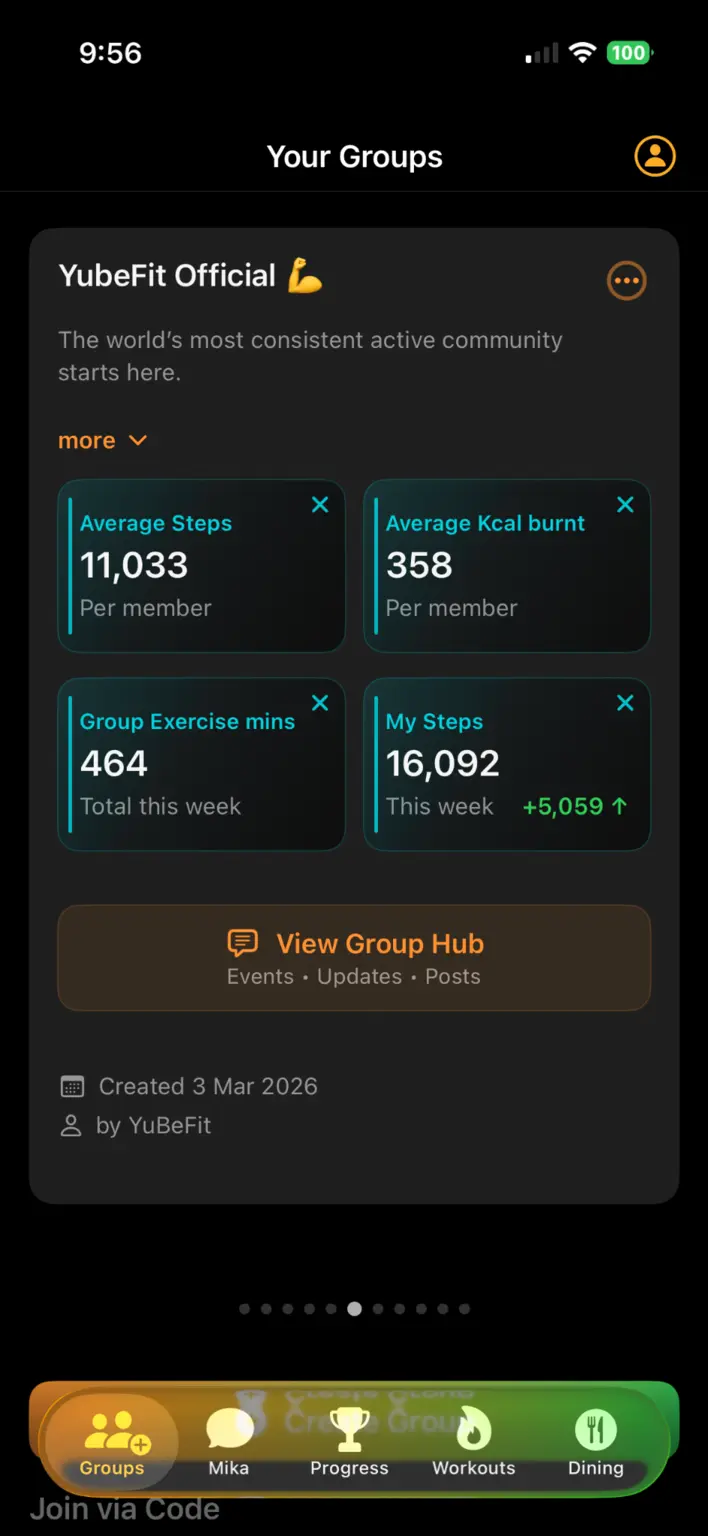
Make a shared intention easier to act on
Friends often begin with a good idea—walk more this month, be active consistently or encourage one another before an event. The hard part is keeping that idea visible once everyday routines take over.
YuBeFit gives the group a private place for the challenge, progress, activities and conversation, so encouragement stays connected to what everyone agreed to do.
Keep accountability social, not intimidating
A useful friends challenge does not require identical targets or constant competition. Agree on a common measure, make room for different starting points and use shared progress as a reason to check in.
- Invite only the friends taking part.
- Choose a goal the group understands.
- Share progress and updates in the same place.
- Recognise consistency without making unsupported performance promises.
Build a rhythm the group can enjoy
A short organiser update, a visible group milestone or a message celebrating someone’s return can keep the challenge human. YuBeFit supports that shared rhythm without turning it into a public competition.
Friends can also explore recommended workouts and use Mika for general wellness motivation when they want ideas for a next step.
A short setup walkthrough
Start the challenge in YuBeFit
- 01
Agree on the idea
Choose the activity measure, duration and simple rules together.
- 02
Create a private group
Give the challenge one shared home in YuBeFit.
- 03
Invite your friends
Share the join code and a message that sets expectations.
- 04
Encourage consistency
Use group progress and updates to recognise effort throughout the challenge.
Frequently asked questions
Can our challenge group be private?
Yes. Create a private group and share its join code only with the friends you want to invite.
Do all friends need the same fitness level?
No. Agree on rules that let each person participate at an appropriate level while contributing to the same shared challenge.
What can our challenge track?
YuBeFit supports challenges using steps, active minutes or active calories through supported health services on each person’s device.
Can we share updates as well as progress?
Yes. A YuBeFit group brings the challenge, activities, updates and group conversation into one shared space.
Ready when your group is
Create your next challenge with YuBeFit.
Download the app, start a private group and invite the people joining you.